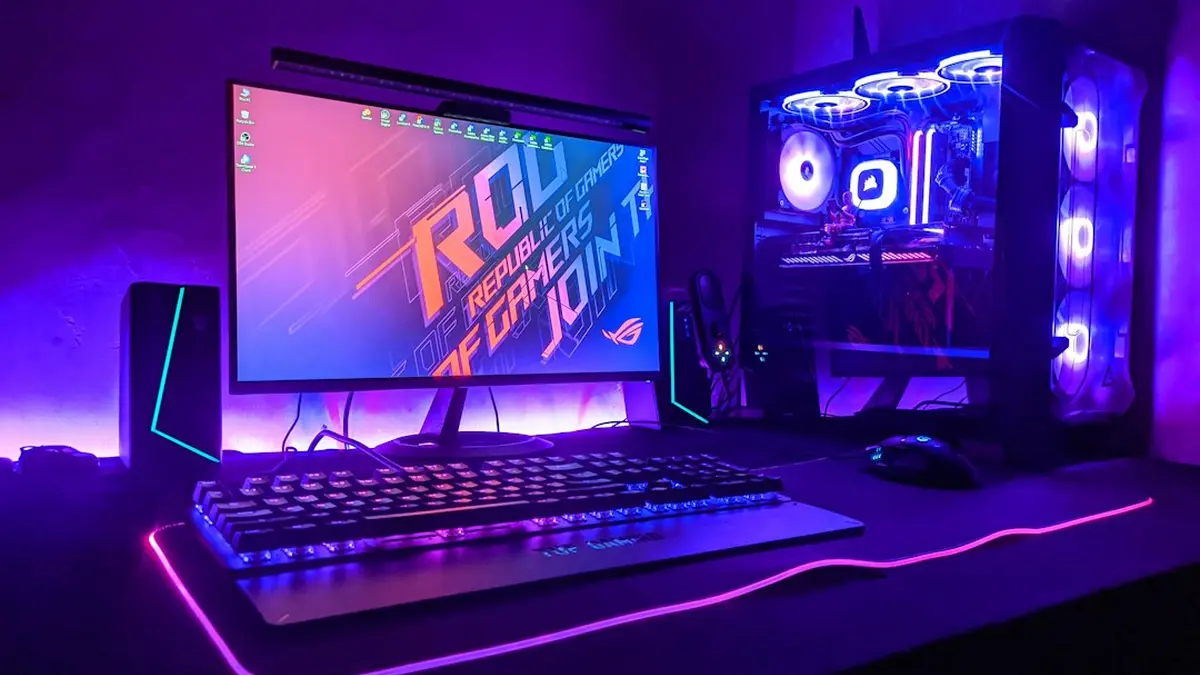
The best 4K gaming monitor for most buyers on November 3, 2026 is the MSI MPG 321URX QD-OLED. It has a 31.5-inch panel, runs at 240Hz, is rated at 0.03ms, and Club386 listed it at $899. That is $400 less than MSI's own UHBR20 version of nearly the same monitor. PC Gamer names it best overall in its 4K guide and in its general gaming monitor guide, and RTINGS makes it the top pick both for PS5 and for 120Hz play.
That answer works for anyone with a console or a mid-to-high-end graphics card. It stops working in three cases: you want a 27-inch screen, you own a GeForce RTX 5080 or RTX 5090 and want 240Hz without compression, or your budget ends around $400 to $500, where none of the sources below lists a 4K QD-OLED. The rest of this page covers those three cases. It puts every pick in one table with its ports and a dated price, and shows what Best Buy's early Black Friday sale has done to those prices.
Every pick, with ports and a dated price
| Monitor | Pick | Size and panel | Refresh | Rated response | Video inputs | Price (source, date) |
|---|---|---|---|---|---|---|
| MSI MPG 321URX | Best overall | 31.5-inch QD-OLED | 240Hz | 0.03ms | 2x HDMI 2.1, DP 1.4, USB-C 90W | $899 (Club386, in its MPG 322URX review) |
| ASUS ROG Swift OLED PG27UCDM | Best 27-inch | 26.5-inch QD-OLED | 240Hz | 0.03ms | DP 2.1a UHBR20 (80 Gbps); HDMI not listed in our sources | About $999 (Aug 2, 2026), about $1,099 (Sep 17, 2026), price-base.com |
| MSI MPG 272URX | Best for consoles | 26.5-inch QD-OLED | 240Hz | 0.03ms | 2x HDMI 2.1, DP 2.1a, USB-C 98W | $1,099.99 as reviewed (PCWorld guide, updated Oct 9, 2026) |
| Gigabyte Aorus FO32U2P | Uncompressed 240Hz, value | QD-OLED (size not stated in our sources) | 240Hz | Not stated | DP 2.1 UHBR20 | $1,000 (Club386) |
| MSI MPG 322URX | Uncompressed 240Hz, Editors' Choice | 32-inch third-gen QD-OLED | 240Hz | 0.03ms GtG | DP 2.1a UHBR20, 2x HDMI 2.1, USB-C 98W | $1,299 (Club386) |
| Alienware AW3225QF | Best curved | 31.6-inch QD-OLED, 1700R | 240Hz | Not stated | Not stated | $899 at Best Buy, was $1,199 (Tom's Guide); $979.99 at Best Buy (TechRadar), fall 2026 sale |
| LG UltraGear 45GX950A-B | Best ultrawide | 45-inch curved OLED, 5120x2160 | 165Hz (330Hz at 2560x1080) | Not stated | Not stated | $1,999.99 as reviewed (PCWorld, Oct 9, 2026) |
| Asus ROG Strix XG27UCG | Budget | 27-inch Fast IPS | 160Hz at 4K, 320Hz at 1080p | Not stated | Not stated | Check the price on Amazon |
| LG UltraGear 27GR93U | Non-OLED alternative | 27-inch IPS | 144Hz | 1ms | Not stated | Not in our sources |
Best overall: MSI MPG 321URX. Price is most of the argument. PCGuide rates it 4.5/5 and calls it "very nearly the perfect monitor for 4K gaming". Its spec sheet lists two HDMI 2.1 ports, DisplayPort 1.4, 90W USB-C and 97.4% DCI-P3 coverage. The saving comes from the DisplayPort 1.4 input. Its 25.92 Gbps of usable bandwidth cannot carry 4K at 240Hz uncompressed, so the monitor relies on Display Stream Compression at that refresh rate. For almost every graphics card on sale this does not matter, because the card cannot send UHBR20 either (see the port table below). PCGuide lists limited brightness and a utilitarian design as its weak points. PCGamesHardware.de describes MSI's price as a deliberate undercut of ASUS and warns that German shops may not match it.
Best 27-inch: ASUS ROG Swift OLED PG27UCDM. RTINGS scores it 9.1 overall and 9.4 for PC gaming. It also tops RTINGS' 4K 144Hz list, even though RTINGS points out it is a 240Hz panel. This is the smaller screen with the faster connection: DisplayPort 2.1a at UHBR20 (80 Gbps), plus Dolby Vision and 99% DCI-P3 according to PC Gamer. RTINGS rates its stand 8.5 for ergonomics, against 6.0 for ASUS's own 32-inch PG32UCDM Gen3. The weak point is price, and it has been rising. price-base.com recorded about $999 on August 2 and about $1,099 on September 17, 2026, and has no October or November figure.
Best for consoles: MSI MPG 272URX. A PS5 or Xbox Series X outputs only over HDMI and tops out at 4K 120Hz. For a console, the right monitor is the one with documented HDMI 2.1 ports, whatever its DisplayPort spec. The 272URX has two HDMI 2.1 ports, DisplayPort 2.1a and 98W USB-C. PCWorld named it the best gaming monitor overall in its guide updated October 9, 2026, at a reviewed price of $1,099.99. PCGuide rates it 4.5/5 and notes that it is very expensive and has low peak SDR brightness. The 321URX is the 32-inch console option, with one caveat explained further down. The PS5-specific trade-offs are covered on the PS5 monitor page.
Uncompressed 240Hz: Gigabyte Aorus FO32U2P. HotHardware reports it was the first 4K OLED with DisplayPort 2.1 UHBR20. Club386 gave MSI's $1,299 MPG 322URX 4.5/5 and an Editors' Choice badge, but called the $1,000 Gigabyte, which has the same connector, the better value. Club386's verdict on the MSI applies to both monitors.
The display is hard to fully exploit today and is built for future hardware.
Best curved: Alienware AW3225QF. A 31.6-inch QD-OLED with a 1700R curve, running at 240Hz. Tom's Guide reported it at $899 at Best Buy, down from $1,199. TechRadar listed it at $979.99 at the same store during the same fall sale, so the price has moved from week to week. None of our sources has lab scores for it.
Best ultrawide: LG UltraGear 45GX950A-B. Strictly speaking this is a 5K2K (5120x2160) curved OLED, not a 4K one, but it is where shopping for a 4K-class ultrawide ends up. It runs at 165Hz at full resolution or 330Hz at 2560x1080, and PCWorld reviewed it at $1,999.99.
Budget: Asus ROG Strix XG27UCG. This is PC Gamer's budget 4K pick: a 27-inch Fast IPS panel that runs native 4K at 160Hz or 1080p at 320Hz. The only dated low price in our sources is an Amazon listing, so check the price on Amazon. We have no Best Buy figure for it. TFTCentral's list (updated June 19, 2026) adds several near-identical 27-inch 4K 160Hz dual-mode IPS monitors. The AOC U27G4XM and KOORUI S2741LM have 1152-zone Mini LED backlights, and the Gigabyte M27UP and Philips Evnia 27M2N5901A complete the group. TFTCentral calls them competitively priced but gives no prices. PC Gamer's favorite non-OLED, the LG UltraGear 27GR93U, has no current price in our sources either. If you are willing to drop to 1440p, a 1440p QD-OLED is the cheaper way to get OLED.
What the spec sheet is telling you
Refresh rate and VRR. A 240Hz panel does not need 240 fps. Variable refresh rate lets the panel follow the frame rate. ProductChart lists FreeSync and G-Sync Compatible support on both the 321URX and the PG27UCDM, and MSI lists both for the 322URX. Evetech gives the example of a 144Hz panel running at 90 fps in heavy scenes and 130 fps in light ones without tearing. A 240Hz ceiling is headroom, not something you have to reach.
Response time. Every QD-OLED in the table is rated 0.03ms gray-to-gray. The LG 27GR93U IPS is rated 1ms. Those are manufacturers' figures. The independent check is RTINGS' motion testing, part of the lab process behind the 417 monitors it says it has bought and tested.
Panel type. QD-OLED (the MSI, ASUS PG27UCDM, Alienware and Gigabyte models) and WOLED (the ASUS PG32UCDP and XG32UCWMG) light each pixel individually. ProductChart lists the resulting contrast ratio as 1,500,000:1. The cost is brightness. Club386 measured the 322URX at 223 nits, among the dimmest OLEDs it has tested. RTINGS lists blacks turning gray in a bright room as a con of the PG32UCDM Gen3. For HDR in a lit room, the alternative is IPS with a Mini LED backlight, and TFTCentral counts 1152 dimming zones on several 27-inch 4K models.
HDR tiers. The 322URX is certified VESA DisplayHDR True Black 400, and the KOORUI S2741LM is rated HDR1400. Analytics Insight's advice holds: peak brightness and the number of dimming zones tell you more than an HDR10 or HDR400 badge does.
Bandwidth. This is where the 4K category splits. The table shows how much each link can carry, and which devices can send each one.
| Link | Raw | Usable | 4K it carries uncompressed | Who sends it |
|---|---|---|---|---|
| HDMI 2.0 | 18 Gbps | Not stated | 60Hz | Older devices |
| DisplayPort 1.4 (HBR3) | 32.4 Gbps | 25.92 Gbps | 144Hz (PCWorld) | RTX 30 and 40 series, RX 6000 |
| DP 2.1 UHBR10 | 40 Gbps | 38.69 Gbps | Not stated | No GPU named in our sources |
| HDMI 2.1 | 48 Gbps | 42.6 Gbps | 120Hz, about 144Hz HDR (KTC) | PS5, Xbox Series X, PCs |
| DP 2.1 UHBR13.5 | 54 Gbps | 52.22 Gbps | Short of the ~68 Gbps that 240Hz 10-bit needs | RX 7000 and RX 9000 |
| DP 2.1 UHBR20 | 80 Gbps | 77.37 Gbps | 240Hz, 10-bit, 4:4:4 | RTX 50 series |
The raw and usable figures come from DisplayNinja. The ~68 Gbps requirement for 4K 240Hz at 10-bit 4:4:4 comes from KTC, and the HDMI 2.0 ceiling from Analytics Insight. KTC describes DSC as visually lossless at up to 3:1, which is how HDMI 2.1 and DP 1.4 reach 240Hz at all. PCGamesHardware.de describes HDMI 2.1 as carrying 4K 240Hz, and PCGuide says that needs DisplayPort. Both are right once compression is counted.
27 or 32 inches. Both sizes have the same 8,294,400 pixels, a figure from PC Guide. Club386 measured the 32-inch 322URX at 137.68 PPI. A 27-inch panel packs the same pixels into less glass, and Evetech notes that makes Windows scaling more important. TFTCentral recommends 32 inches for high-resolution gaming. RTINGS rates the 27-inch PG27UCDM and 32-inch PG32UCDM Gen3 as similar in performance, so the real differences are size and stand. Choose 32 inches if the point of 4K is detail you can see from a normal seat. Choose 27 inches if your desk is shallow or you want the better stand.
The graphics card costs more than the monitor
Club386 lists the 321URX at $899. The RTX 5090, the card that can run a 4K monitor at 240Hz in some games, has a $1,999 MSRP. In Germany its market average was about €4,350 in August 2026, according to Tech Insider. The monitor is the cheaper half of this purchase. The table below matches each card or console to the monitor it can actually use. Figures from different reviewers come from different test scenes, so compare within a row, not across rows.
| Source of frames | Port it sends | At 4K (source, date) | Pairs with |
|---|---|---|---|
| RTX 5090, $1,999 MSRP | DP 2.1 UHBR20 | Cyberpunk 2077 Ultra native 110 fps, CS2 311 fps, Doom Eternal 387 fps (PC Guide, updated Oct 9, 2026); native 4K 240 in CS2 and Doom Eternal, about half that in Black Ops 6 (Club386) | UHBR20 240Hz: FO32U2P, 322URX, PG27UCDM |
| RTX 5080, $999 MSRP | DP 2.1 UHBR20 | Cyberpunk 2077 Ultra native 75 fps, CS2 196 fps, Assassin's Creed Mirage 108 fps (PC Guide, updated Oct 9, 2026) | 321URX or PG27UCDM, with VRR doing the work |
| RX 9070 XT, $599 launch | DP 2.1a, capped at UHBR13.5 | Cyberpunk 2077 61 fps, CS2 110 fps, Indiana Jones 101 fps (PC Guide, updated Oct 9, 2026) | 4K 144 to 160Hz: 321URX, XG27UCG, 27GR93U |
| RTX 30 and 40 series, RX 6000 | DP 1.4 HBR3 | Not in our sources | UHBR20 buys nothing; the 321URX is the same experience |
| PS5, PS5 Pro, Xbox Series X | HDMI 2.1 only | 4K up to 120Hz output (Analytics Insight, PCGuide) | Full-bandwidth HDMI 2.1: 272URX, 321URX |
The three cards that decide which 4K monitor makes sense
| RTX 5080 | RTX 5090 | RX 9070 XT | |
|---|---|---|---|
| Price | $999launch price, Founders Edition (NVIDIA) | $1,999launch price, Founders Edition (NVIDIA) | $599launch price (AMD suggested price); board-partner cards only |
| GPU | GB203 | GB202 | Navi 48 |
| Architecture | Blackwell | Blackwell | RDNA 4 |
| Shaders | 10752 | 21760 | 4096 |
| Boost clock | 2620 MHz | 2410 MHz | 2970 MHz |
| Cyberpunk 20771080p Ultra, fps | 143 | 157 | 128 |
| Cyberpunk 20771440p Ultra, fps | 93.5 | 135 | 81.8 |
| Cyberpunk 20774K Ultra, fps | 42.6 | 61.5 | 37.2 |
| Cyberpunk 20771440p Ultra + Ultra RT, fps | 60.3 | 92.1 | 45.4 |
| Alan Wake 21440p Ultra, fps | 76.3 | 107 | 71.9 |
| Black Myth: Wukong1440p Very High, fps | 73 | 99.4 | 65.9 |
| Buy | Check price on AmazonCheck price at Best Buy | Check price on AmazonCheck price at Best Buy | Check price on AmazonCheck price at Best Buy |
Figures as published by Tom's Hardware (Jun 2, 2026), Tom's Hardware (Jun 2, 2026), Tom's Hardware (Jun 24, 2026). The best figure is marked where a row is all one source.
Compare every benchmark side by sideThree details from the sources change the pairing. First, GamersNexus measured the 5090's 4K lead over the 5080 at 30% to 68.9%, most often 45% to 55%. Second, Tech Insider's aggregated Cyberpunk 2077 figure for the 5080 at native 4K is 58 fps, against PC Guide's 75 fps. Neither figure is wrong; they come from different scenes. Third, PC Guide sets 16GB of VRAM as the minimum for 4K and recorded drops on the 12GB RTX 5070, which rules that card out as a 4K partner.
The Radeon RX 9070 XT is certified for DP 2.1a but limited to UHBR13.5, and Club386 notes it "lacks the horsepower to max 4K 240Hz" in any game the reviewer knows of. For the 5090, PC Guide found it in the ~100 fps range in single-player games, so 240 fps there depends on DLSS 4 upscaling and frame generation. Tech Insider reports 19 fps native in Cyberpunk 2077 with path tracing, rising to ~183 fps with 4x frame generation. PC Guide recommends at least a 1000W power supply for a 5090. For the 5080, Tech Insider cites Nvidia's 750W, and Evetech suggests 850W.
For scale, even at 1440p Ultra, Tom's Hardware's GPU hierarchy (June 24, 2026) puts the RTX 5080 at 93.5 fps and the RTX 5090 at 135 fps in Cyberpunk 2077. The Cyberpunk 2077 table carries those figures with their sources.
Same panel, different sticker
A good share of the 4K OLED market is one panel spec sold under several model numbers, and the price gaps don't line up with the hardware differences.
321URX against PG27UCDM. ProductChart lists identical core specs for the two: QD-OLED, 240Hz, 0.03ms, 250 nits typical and 1,500,000:1 contrast. The difference is 31.5 inches against 26.5 inches. Price per inch favors the MSI. Ergonomics, per RTINGS, favor the ASUS line.
321URX against 322URX. That is $899 against $1,299 according to Club386, which calls the cheaper monitor nearly identical unless you need uncompressed 4K 240Hz. The $400 pays for the UHBR20 port. Only an RTX 5080 or 5090 can use it, and Club386 found even the 5090 reaching 240 fps natively only in lighter games such as CS2 and Doom Eternal.
PG32UCDP against XG32UCWMG. TFTCentral says the two ASUS 32-inch WOLED monitors use the same panel. The Strix adds a glossy "TrueBlack" coating, and the PG32UCDP offers a 1080p 480Hz dual mode.
The RTINGS contradiction on the 321URX. RTINGS' PS5 summary table gives it a PS5 Compatibility score of 10, while text indexed from the same page says it "lacks HDMI 2.1 bandwidth to take full advantage of the PS5 and PS5 Pro". PCGuide lists two HDMI 2.1 ports and says a console gets its full 4K 120 signal. Our sources don't settle it. Before buying it for a console, confirm that the listing says 4K at 120Hz over HDMI.
Four labels that oversell
"DisplayPort 2.1" does not mean UHBR20. According to DisplayNinja, a device qualifies for the DP 2.1 label with DSC support plus any one of UHBR, Adaptive-Sync or LTTPR. That means a "DP 2.1" device can be capped at DP 1.4 speeds. A DP 1.4 graphics card connected to a DP 2.1 monitor runs at DP 1.4 speeds. Check the transmission mode, not the version number. The cable matters too: KTC says to buy VESA-certified DP80 (reliable to about 1 meter passive) or DP80LL (active, to about 3 meters).
"HDMI 2.1" does not guarantee 48 Gbps. Analytics Insight warns that some listings label ports HDMI 2.1 without full bandwidth, and advises confirming that the listing explicitly says 4K at 120Hz. Evetech adds that only certified Ultra High Speed HDMI cables reach full HDMI 2.1 bandwidth.
320Hz and 480Hz are 1080p numbers. The dual-mode monitors (XG27UCG, M27UP, U27G4XM, PG32UCDP) are 4K at 160Hz or 240Hz. Their higher refresh rates apply only after dropping to 1080p.
5K2K and dual-4K are not 4K. The LG 45GX950A-B and Samsung's 57-inch Neo G9 have more pixels than 3840x2160. A graphics card that is only just coping at 4K has less headroom on them, not more.
Burn-in, warranties and a bright room
The most useful burn-in data on this list comes from the best overall pick. Monitors Unboxed has run a 321URX as an office monitor for 30 months, as reported by DropReference. It ran 8 to 10 hours a day at ~200 nits, in light mode, with the taskbar always visible and no screensaver. By the October 6, 2026 update it had logged ~8,000 hours, which the tester equates to about four years of 40-hour work weeks. Faint marks appeared at 650 to 750 hours. At 30 months, a vertical line and the taskbar icons show as inverse burn-in. Peak brightness fell from 243 to 231 nits, all of it in the last year. Color temperature shifted from ~6,440K to ~6,292K, because green subpixels wore fastest. The tester calls it "a stress test, not a user guide" and concludes that for most buyers burn-in "should not be a major concern". The exception is people who spend 8 or more hours a day in static documents or code, who should still buy IPS.
Warranties now cover the risk on paper. According to HotHardware, ASUS offered burn-in coverage first, at two years (announced at CES 2024). MSI then went to three years, ASUS matched it within days, and Gigabyte followed with three years on the FO32U2P and FO32U2 among others. MSI's three-year burn-in warranty is confirmed for the 322URX. As PCGamesN's Edward Chester puts it, a warranty "can't entirely fix the issue"; it only gives you money back, not a working panel. The other OLED cost is ambient light: RTINGS lists gray blacks in a bright room as a con even on ASUS's newest 32-inch.
Buy now, wait, or skip a generation
Best Buy's early Black Friday sale has already moved prices. Tom's Guide reported the Acer Predator XB323QK at $799, down from $1,199. It reported the Alienware AW3225QF at $899, down from $1,199, while TechRadar listed the same monitor at $979.99 at Best Buy during the same period. 9to5Toys reported on November 2, 2026 that Best Buy's Samsung Odyssey sale reached 50% off, although the cheapest models in it are not 4K. Prices do not only fall: the PG27UCDM rose about $100 between August 2 and September 17, according to price-base.com.
Buy now if you have an RTX 5080 or 5090 or a console, and either the 321URX at around $899 or the AW3225QF at a Best Buy sale price fits your desk. Neither is waiting on a successor that our sources mention.
Wait if you want the 27-inch PG27UCDM. Its last recorded US price was the higher of the two, and there is no newer data point, so wait for a dated sale price before paying $1,099.
Skip the UHBR20 premium if your card is an RTX 30 or 40 series, an RX 6000, or anything else limited to DP 1.4 or UHBR13.5. The extra $300 to $400 pays for a port your card can't use. Buy the 321URX and spend the difference on the graphics card that will eventually make use of the monitor. Our Will it run tool shows what a given card manages in the games we track.
How these picks were chosen
Benchmark Extreme tests nothing itself. The picks above weigh the publications that did: RTINGS' lab rankings (417 monitors bought and tested), PC Gamer's and PCWorld's 2026 guides, Club386's measured review of the 322URX, TFTCentral's June 2026 list, and PCGuide's HDMI 2.1 guide. A monitor needed a 4K panel at 144Hz or higher, a documented port list, and at least one current recommendation. Prices are the ones each source published, with dates where the source gave them, and Amazon prices are left out. Where a cell above says "not stated", none of our sources had the figure.
Comments
No comments yet. Be the first to comment!
Leave a Comment